How To Turn Off AI On Pinterest: Control Your Feed & Privacy Options
Are you increasingly frustrated with the AI-driven recommendations on Pinterest and desperately seeking a way to regain control of your feed? This guide addresses that exact need, providing a practical solution to refine your Pinterest experience. In this Blog post, we will dive into straightforward methods for disabling or significantly reducing the impact of Pinterest’s AI algorithms. We’ll explore specific settings adjustments, alternative browsing techniques, and clever strategies to curate a personalized Pinterest feed that truly reflects your interests, not just what an AI thinks you should see. Get ready to take back the reins and rediscover the joy of authentic Pinterest discovery.
Understanding Pinterest’s AI Features: What You’re Really Turning Off
Turning off AI on Pinterest isn’t simply a matter of flipping a switch; it’s about understanding which Pinterest’s AI features you’re disabling and how that impacts your overall experience. When aiming to turn off AI on Pinterest, users often focus on personalized recommendations, but the influence of artificial intelligence extends far beyond that, affecting everything from search results to ad targeting. Understanding the nuances of these features allows you to make informed decisions about your data privacy and control over your Pinterest experience.
Disabling personalized recommendations is a primary step, but it’s essential to recognize that Pinterest employs AI in various ways:
- Personalized Recommendations: This is perhaps the most visible application, where Pinterest suggests Pins and boards based on your past activity, interests, and demographics. Disabling this means you’ll see fewer Pins tailored specifically to your tastes.
- Smart Feed: Pinterest uses AI to rank Pins in your home feed, prioritizing content it believes you’ll find most engaging. Shutting off certain personalization settings might impact the relevance of your feed.
- Visual Search: This feature allows you to use images to find similar products or ideas. AI powers the image recognition capabilities, enabling Pinterest to identify objects and suggest related content.
- Ad Targeting: AI algorithms analyze your behavior to display ads that are more likely to interest you. Limiting data access can reduce the relevancy of ads, but not eliminate them entirely.
- Spam and Fraud Detection: Pinterest uses AI to identify and remove spam, fake accounts, and fraudulent activity, contributing to a safer and more authentic platform.
Ultimately, when you disable personalized recommendations on Pinterest, you’re not eliminating AI entirely, but rather opting out of certain data-driven features. Understanding this distinction is crucial for managing your privacy and controlling your online experience on the platform.

Step-by-Step Guide: Disabling Personalized Recommendations on Pinterest
Want to reclaim control over your Pinterest feed and browsing experience? This step-by-step guide will show you how to turn off AI on Pinterest, specifically focusing on disabling personalized recommendations to curate a more authentic and less algorithm-driven experience. Disabling these features allows you to explore Pinterest based on your own interests, rather than relying on the platform’s interpretation of them.
Here’s how to take back control:
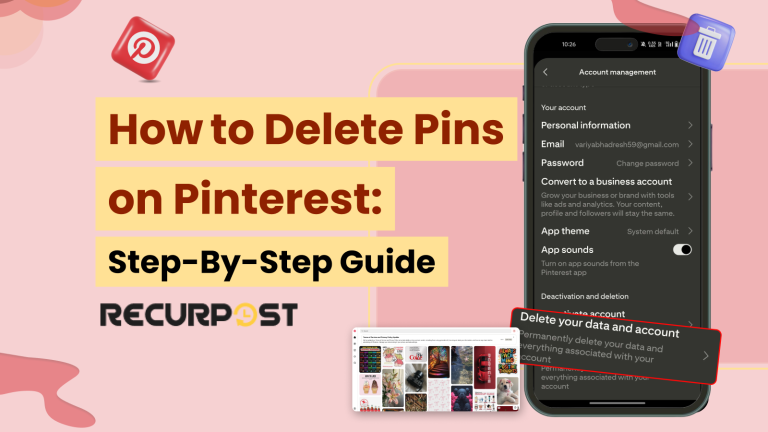
- Access Your Pinterest Settings: Start by logging into your Pinterest account on your desktop or mobile device. On the desktop version, click the downward-facing arrow in the top-right corner of the screen and select Settings. On the mobile app, tap your profile picture in the bottom-right corner, then tap the three dots in the top-right corner and select Settings. This is your central hub for managing your Pinterest preferences.
- Navigate to Privacy and Data: Within the Settings menu, locate and click on the “Privacy and data” (or similar wording) option. This section controls how Pinterest collects and uses your information, including the data used for personalization. Understanding this section is vital for managing your digital footprint on the platform.
- Disable Personalized Ads: Scroll down to the “Personalization” section (or similar) and look for the option to disable personalized ads. Toggle the switch to the “off” position. This will prevent Pinterest from using your activity to show you targeted ads, a key component of AI-driven personalization.
- Clear Your Browsing History: To further minimize AI influence, consider clearing your browsing history within Pinterest. You can usually find this option within the same “Privacy and data” section. Removing your history helps “reset” the algorithm’s understanding of your interests, providing a fresh start.
- Adjust Home Feed Tuning: Pinterest offers tools to directly influence your home feed recommendations. While not a complete disabling of AI, you can unfollow topics or boards that don’t interest you. To do this, navigate to your home feed and actively engage with the “…” menu on recommended Pins to indicate “I don’t want to see this” or “Hide this Pin.” This signals to the algorithm that your interests lie elsewhere.
By following these steps, you can significantly reduce the influence of personalized recommendations on your Pinterest experience, giving you greater control over the content you see and discover.

Managing Data Privacy on Pinterest: Limiting AI’s Access to Your Information
Understanding how to manage data privacy on Pinterest is crucial in an era where AI increasingly shapes online experiences, especially if you’re looking into how to turn off ai on pinterest and regain control over your data. Pinterest’s AI algorithms rely heavily on user data to personalize recommendations and search results; thus, limiting AI’s access to your information directly impacts your privacy and the relevance of content you see. Users seeking more control can take proactive steps to minimize the amount of data Pinterest’s AI utilizes.
One of the primary ways Pinterest utilizes your data is through your browsing history and interactions within the platform. To limit AI’s access, users can regularly clear their browsing history within Pinterest’s settings. This action removes the data points AI uses to understand your interests and tailor content, effectively resetting the personalization engine. Moreover, carefully managing your Pinterest activity by deleting pins, boards, or search queries that no longer reflect your interests helps refine the data used for AI-driven recommendations.
Controlling personalized advertising preferences is another significant step in managing data privacy. Pinterest, like many platforms, uses data to show you ads that are supposedly relevant to your interests. By adjusting your advertising preferences within your account settings, you can limit the use of your data for ad targeting. This involves opting out of personalized ads, which prevents Pinterest from using information like your demographics, interests, and online activity to select the ads you see.
Reviewing and adjusting app permissions on your mobile device can further enhance your data privacy on Pinterest. Pinterest may request access to various features on your phone, such as your location, contacts, or camera. Limiting these permissions restricts the amount of data Pinterest can collect, reducing the scope of AI’s understanding of your preferences and behaviors. Regular audits of app permissions ensure you’re only sharing necessary information.
- Clear Browsing History Regularly: Remove data points used for personalization.
- Manage Pinterest Activity: Delete irrelevant pins, boards, and search queries.
- Adjust Advertising Preferences: Opt out of personalized ads.
- Review App Permissions: Limit access to location, contacts, and camera.

Alternative Search Strategies: Finding What You Want Without AI Guidance
While Pinterest’s AI-powered recommendations aim to personalize your experience, discovering content without algorithmic influence is still achievable and often leads to more serendipitous and authentic findings, especially for users looking for ways on how to turn off AI on Pinterest. Exploring manual search options and filters allows you to bypass the curated feed and discover diverse content based purely on your own input.
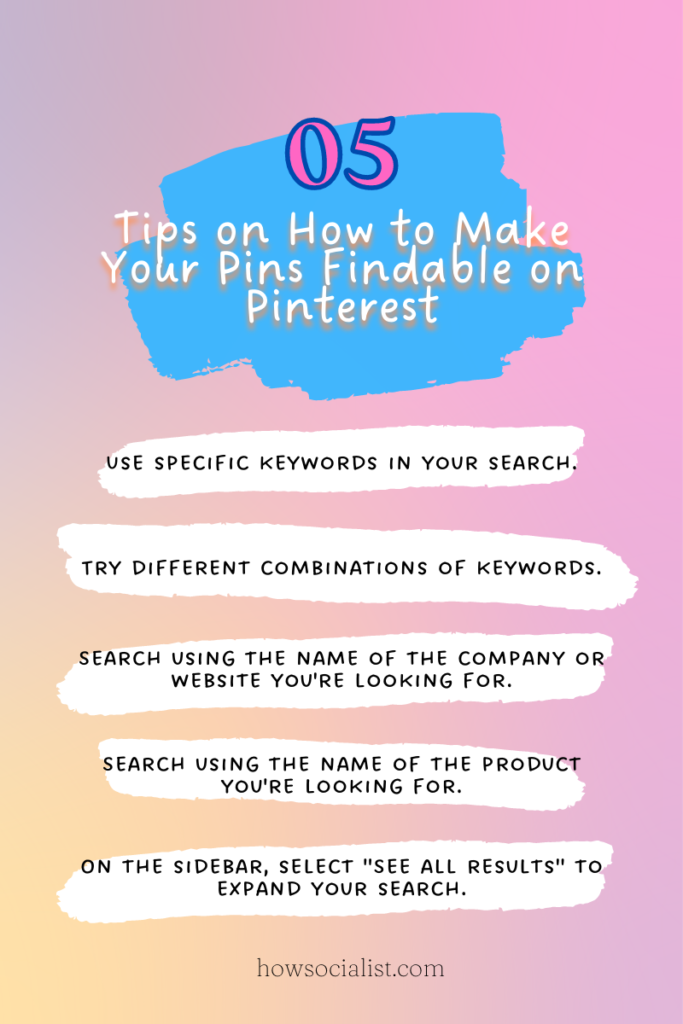
To navigate Pinterest without relying on AI guidance, consider these strategies. First, harness the power of specific keywords. Instead of using broad terms, think about the exact details you’re looking for. For example, instead of searching for “kitchen design“, try “modern minimalist kitchen with concrete countertops.” This level of specificity helps narrow down results and reduces AI’s ability to interject its assumptions.
Next, utilize Pinterest’s built-in filters effectively. After performing a search, look for filter options that let you refine results by category, price, or even color. These filters provide a degree of control that bypasses the AI’s attempt to predict what you want. For example, if you’re searching for gifts, you can filter by price range to avoid seeing items outside your budget, a common AI-driven recommendation.
Another effective strategy is to explore Pinterest’s categories directly. Instead of relying on the search bar, browse through the curated categories like DIY and Crafts, Food and Drink, or Home Decor. These categories offer a more organized and less personalized way to discover content, providing a broader view of what Pinterest has to offer. This approach helps circumvent the AI’s tendency to show you content similar to what you’ve already engaged with.

Addressing Concerns About AI on Pinterest: Debunking Myths and Setting Expectations
Many users express concerns about AI on Pinterest, stemming from misunderstandings about its functionality and purpose, so this section aims to debunk common myths surrounding how to turn off AI on Pinterest and establish realistic expectations. The anxieties are often rooted in fears of data misuse, algorithmic bias, and a perceived loss of control over their Pinterest experience. By addressing these concerns head-on, we hope to provide clarity and empower users to make informed decisions about their AI settings.
One prevalent myth is that Pinterest’s AI actively spies on users, collecting and sharing personal data without consent. In reality, while Pinterest’s AI algorithms do analyze user activity, such as pins saved and boards created, this data is primarily used to improve personalized recommendations and search results. Pinterest’s privacy policy outlines the specific data collected and how it is used, emphasizing that users have control over their data privacy settings, allowing them to limit the platform’s access to their information.
Another misconception is that AI-driven recommendations will completely eliminate serendipity and introduce algorithmic bias, leading to a homogeneous and uninspiring browsing experience. While personalized recommendations are designed to surface relevant content, Pinterest’s algorithm also incorporates elements of exploration and discovery. Users can still explore different categories, search for specific terms, and follow individual pinners to curate their feed according to their preferences.
Finally, some users fear that disabling AI features will render Pinterest unusable. While turning off personalized recommendations will undoubtedly alter the browsing experience, Pinterest remains a powerful visual discovery tool even without AI guidance. Users can still utilize alternative search strategies, explore curated categories, and follow their favorite creators to find inspiration and save ideas. The platform’s core functionality remains intact, allowing users to engage with content in a way that aligns with their individual preferences.

Why Pinterest Uses AI: Understanding the Benefits and Drawbacks
Pinterest leverages artificial intelligence to enhance user experience and platform efficiency; however, understanding the advantages and disadvantages of this integration is crucial for users wanting to tailor their experience, potentially exploring “how to turn off AI on Pinterest” features. The use of AI allows Pinterest to offer personalized recommendations and improve search accuracy, but it also raises concerns about data privacy and the potential for filter bubbles. Analyzing these aspects helps users make informed decisions about their settings and usage.
One of the primary benefits of AI on Pinterest is the ability to provide highly relevant recommendations. Pinterest’s AI algorithms analyze user behavior, including saved Pins, searches, and followed boards, to suggest related content, which ultimately encourages users to discover new ideas and products. For instance, if a user frequently saves Pins related to “home decor,” Pinterest’s AI will suggest similar Pins, boards, and even profiles centered around interior design, thereby increasing user engagement and time spent on the platform. This is achieved through machine learning models trained on vast datasets of user interactions.
However, the reliance on AI for personalization can also create filter bubbles. Since the algorithm primarily shows content similar to what users have already engaged with, it can limit exposure to diverse perspectives and new interests. This can lead to a more homogenous and potentially less stimulating experience for users seeking broader inspiration. Pinterest acknowledges this potential drawback and is actively working on algorithms that balance personalization with discovery, aiming to provide a more varied and enriching experience.
Furthermore, AI enhances Pinterest’s search functionality. By employing natural language processing (NLP) and image recognition, Pinterest can understand the context of search queries and identify objects within images, leading to more accurate and relevant search results. For example, a user searching for “boho living room” will not only receive Pins with those keywords but also Pins featuring similar styles identified through image analysis, even if the descriptions don’t explicitly mention “boho.” This advanced search capability significantly improves the user’s ability to find what they’re looking for.
On the other hand, the increased use of AI raises data privacy concerns. The algorithms require vast amounts of user data to function effectively, prompting questions about how this data is collected, stored, and used. While Pinterest assures users that their data is handled responsibly and in accordance with privacy policies, some users may still feel uncomfortable with the extent of data collection and the potential for misuse, ultimately leading some users to seek information on “how to turn off AI on Pinterest”. It’s crucial for users to review and understand Pinterest’s privacy settings and data usage policies to make informed decisions about their data.
In summary, AI provides Pinterest with significant advantages in personalization and search, but it also presents challenges related to filter bubbles and data privacy. By understanding these benefits and drawbacks, users can make informed choices about their settings, striking a balance between personalized experiences and control over their data and content exposure.
While Pinterest offers native options to limit AI personalization, some users seek greater control through third-party tools and extensions. These tools can potentially enhance your ability to manage your Pinterest experience and disable personalized recommendations beyond the platform’s built-in settings. However, it’s crucial to proceed with caution and understand the potential risks involved.
The allure of third-party Pinterest tools often lies in their promise of features not natively available, such as advanced filtering, enhanced privacy settings, or bulk management options. For example, some extensions claim to block all personalized recommendations more effectively than Pinterest’s own settings. These tools seem attractive for those deeply concerned about how to turn off AI on Pinterest and reclaim their online experience.
However, before installing any extension or tool, a thorough assessment of its legitimacy and security is paramount. Consider these factors:
- Source and Reputation: Is the tool from a reputable developer? Research the developer’s history and read reviews from other users. Look for evidence of trustworthiness and a commitment to user privacy.
- Permissions Requested: What permissions does the tool require? Be wary of tools that ask for excessive access to your Pinterest account or personal information. Only grant permissions that are absolutely necessary for the tool’s functionality.
- Data Privacy Policies: Review the tool’s data privacy policy carefully. Understand how it collects, uses, and shares your data. Ensure that the policy is transparent and aligns with your privacy expectations.
- Security Practices: Does the tool employ robust security measures to protect your data from unauthorized access and breaches? Look for evidence of encryption, secure data storage, and regular security audits.
Remember, installing a malicious extension can compromise your Pinterest account and expose your personal information to cyber threats. Tools from unknown or untrustworthy sources can potentially steal your login credentials, track your browsing activity, or even inject malware into your system.
Furthermore, some third-party tools may violate Pinterest’s terms of service, leading to account suspension or termination. Exercise caution and ensure that any tool you use complies with Pinterest’s policies. Given these risks, prioritizing data privacy and security while exploring these tools is critical.