Can You See Who Views Your Pinterest? Track Analytics, Profile & Pins
Unveiling the Pinterest viewing secrets is crucial for strategic content creation and understanding audience engagement in 2025. But, can you really see who views your Pinterest profile or just the aggregate data? This post dives deep into Pinterest analytics, exploring what data is accessible regarding profile views, Pin views, and board views. We’ll break down the limitations of Pinterest’s built-in tools, discuss third-party analytics options, and clarify the difference between knowing who viewed your content versus understanding how many people engaged. Ultimately, you’ll gain a clear understanding of Pinterest’s privacy features and how to leverage the available data to optimize your strategy, all within the context of this practical Blog post.
Understanding Pinterest Privacy: Can You See Who Views Your Profile?
Navigating the world of online privacy can be tricky, and understanding Pinterest privacy is crucial for all users. A common question among Pinterest users is: can you see who views your Pinterest profile? The short answer is no, Pinterest does not provide a direct feature that allows you to see the individual users who have viewed your profile. While this might be disappointing for some, it aligns with Pinterest’s focus on overall engagement metrics rather than individual tracking.
Pinterest prioritizes the privacy of its users. Instead of offering specific viewer data, the platform provides aggregate analytics. These analytics offer insights into how your pins and profile are performing, without revealing the identities of individual viewers. This approach helps maintain user anonymity while still providing valuable feedback to content creators.
It’s important to differentiate between profile views and pin engagements. While you can’t see who specifically viewed your profile, Pinterest provides data on pin impressions, saves, and click-throughs. These metrics offer a broader understanding of how your content is resonating with the Pinterest community. This allows you to tailor your content strategy based on what’s performing well, focusing on creating pins that resonate with a wider audience.
How Pinterest Views Impact Your Data and Privacy
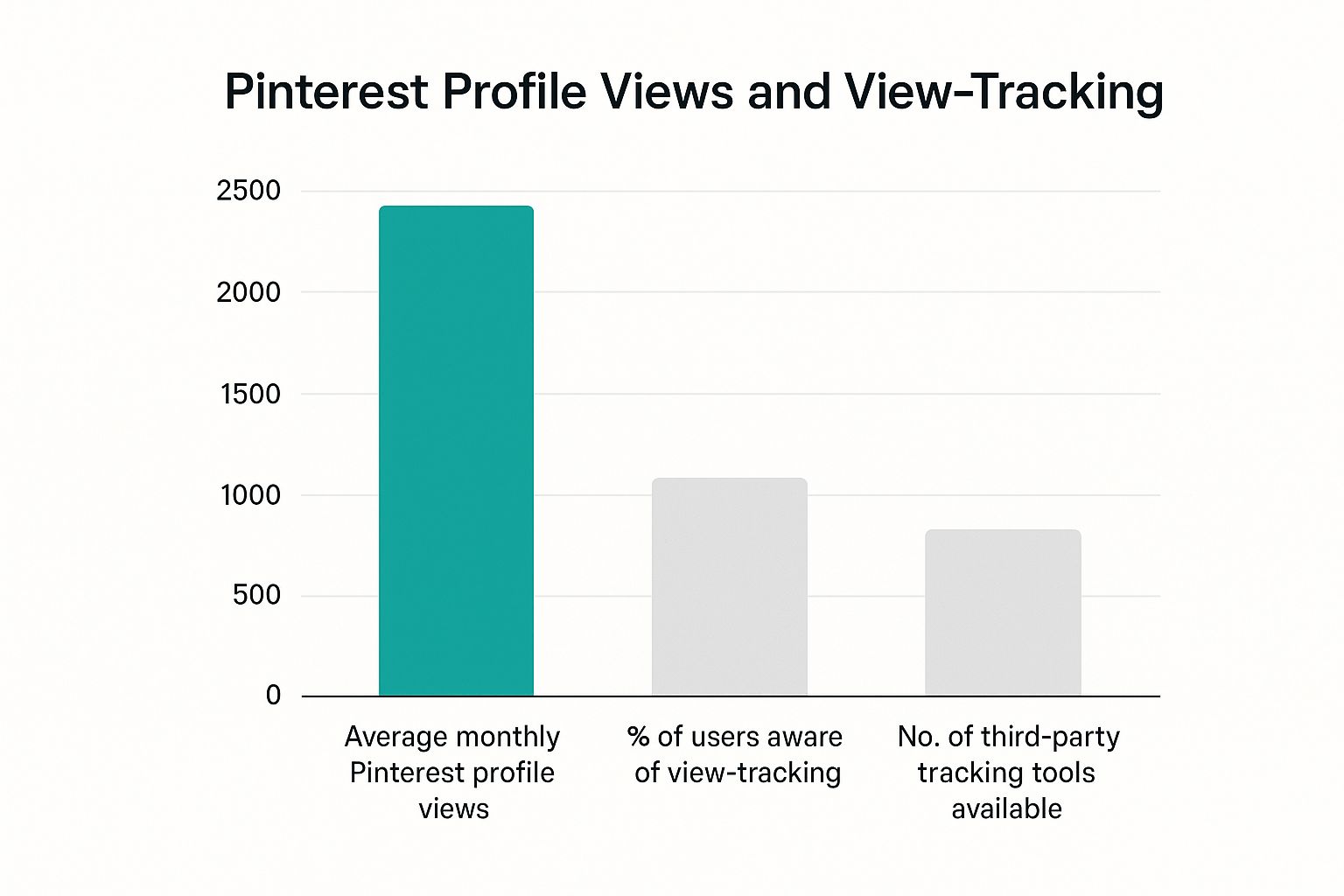
Understanding how Pinterest views impact your data is crucial for maintaining your online privacy. Pinterest tracks user activity to personalize content and advertising, raising important questions about what data is collected and how it’s used.
When you browse Pinterest, every view, every pin you interact with, and every board you visit contributes to a rich dataset about your preferences and interests. This data is used to tailor your Pinterest experience, from suggesting new pins you might like to displaying targeted ads. This personalization, while convenient, means Pinterest has a detailed profile of you, potentially raising concerns about data security and control.
Here’s how those Pinterest views impact your data and privacy:
- Data Collection: Pinterest collects data related to your browsing behavior, including the pins you view, the boards you visit, and the searches you perform. This data is linked to your account and used to build a profile of your interests.
- Personalized Advertising: The data collected from your Pinterest views is used to show you targeted ads. Advertisers bid for the opportunity to show ads to users based on their interests, demographics, and browsing behavior. For instance, if you frequently view pins about home decor, you are more likely to see ads for furniture or home improvement products.
- Algorithm Training: Your interaction with pins and boards helps train Pinterest’s algorithms. The platform uses machine learning to understand what types of content are appealing to different users and to improve the relevance of search results and recommendations.
- Data Sharing: Pinterest shares aggregated, anonymized data with third parties, including advertisers and research partners. While this data doesn’t directly identify you, it can be combined with other information to create a more detailed picture of user behavior.
- Privacy Controls: Pinterest offers privacy settings that allow you to control how your data is used. You can opt out of personalized advertising, limit data sharing, and adjust your privacy settings to restrict who can see your profile and activity. However, it’s essential to regularly review and update these settings to ensure they align with your privacy preferences.
It’s important to remember that Pinterest’s data collection practices are subject to its Privacy Policy, which is updated periodically. Users should regularly review this policy to stay informed about how their data is used and protected.
Using Pinterest Analytics to Understand Engagement with Your Pins
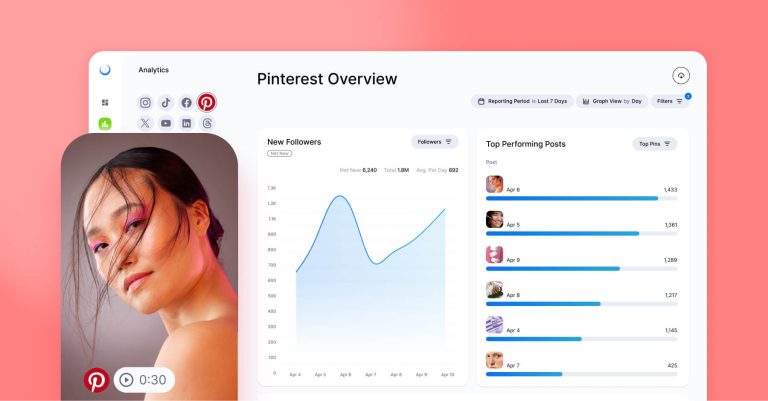
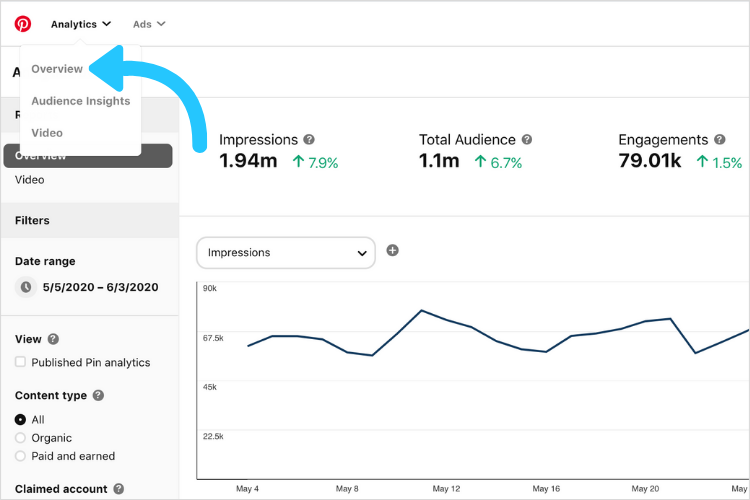
Pinterest Analytics offers a powerful way to move beyond the question of “can you see who views your Pinterest profile?” and instead understand how users are interacting with your content. By leveraging these insights, you can refine your Pinterest strategy, optimize your Pins, and ultimately drive more meaningful engagement.
Diving into the Metrics:
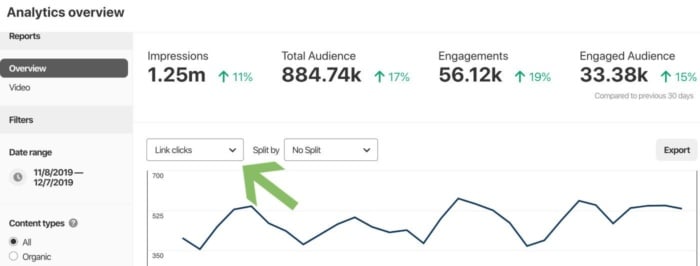
Pinterest Analytics presents a wealth of data points to analyze your Pin performance. Key metrics include:
- Impressions: The number of times your Pins were seen. This metric indicates overall visibility.
- Engagements: The total number of saves, closeups, link clicks, and carousel card swipes on your Pins. This reveals how many users actively interacted with your content.
- Pin Clicks: The number of clicks to your website or landing page from your Pins. A crucial metric for driving traffic and conversions.
- Outbound Clicks: Clicks that lead users off of Pinterest and to the external website linked on the Pin.
- Saves: The number of times users saved your Pins to their own boards. Saves indicate that users found your content valuable and want to revisit it later.
Demographic Insights:
Beyond Pin-level data, Pinterest Analytics provides demographic information about your audience. This includes:
- Age and gender: Understanding the age and gender distribution of your audience helps you tailor your content to their specific interests.
- Location: Knowing where your audience is located allows you to create regionally relevant Pins.
- Interests: Pinterest reveals the categories and topics that your audience is interested in, enabling you to create content that aligns with their passions.
Optimizing Your Content Strategy:
By analyzing Pinterest Analytics data, you can identify your top-performing Pins and boards. Use this information to:
- Identify Winning Content: Determine what types of Pins resonate most with your audience (e.g., how-to guides, recipes, product showcases).
- Optimize Pin Design: Experiment with different image styles, text overlays, and calls to action to see what drives the most engagement.
- Refine Keyword Targeting: Analyze the keywords used in your successful Pins and incorporate them into future content to improve search visibility.
- Timing is Everything: Discover when your audience is most active on Pinterest and schedule your Pins accordingly.
AI Pin Video Downloader Application:
As AI Pin Video Downloader, you can use these insights to better target users who are interested in downloading Pinterest videos, creating related content that leads them to your product, and analyzing user behavior to optimize your download process.
This provides a comprehensive understanding of how Pinterest Analytics can transform raw data into actionable strategies, enabling you to connect with your target audience, drive engagement, and achieve your business goals without ever needing to see who views your Pinterest.
Want to dive deeper into understanding what makes your pins successful? Learn how to create engaging pins here.
Third-Party Tools and Apps: Exploring Unauthorized Methods for Identifying Viewers
While the desire to see who views your Pinterest profile is understandable, it’s crucial to approach third-party tools and apps claiming to offer this functionality with extreme caution. These unauthorized methods often come with significant risks to your data and privacy.
Many third-party applications promising to reveal Pinterest profile viewers operate outside of Pinterest’s official API and terms of service. This means they may require you to grant them access to your account, potentially exposing your login credentials, personal information, and browsing history. Furthermore, the data they provide is often inaccurate or fabricated, leading to misleading insights and wasted time. It’s similar to the risks associated with unverified browser extensions; the potential for malicious activity is real.
It’s important to remember that Pinterest actively combats unauthorized data scraping and third-party tools that violate its policies. Using such tools could result in your account being suspended or permanently banned. Prioritize safeguarding your personal data and respecting platform guidelines over pursuing unreliable and potentially harmful solutions. Always consider the source and reviews before installing any Pinterest-related app or tool.
Protecting Your Privacy on Pinterest: Tips and Strategies
Securing your Pinterest privacy is crucial in today’s digital landscape, especially when considering can you see who views your Pinterest profile is not a straightforward “yes” or “no” answer. Many users are unaware of the specific tools and settings Pinterest offers to manage their data and online visibility, making proactive privacy measures essential. This section will explore actionable strategies to fortify your Pinterest privacy settings and understand how to use the platform more securely.
One of the most fundamental steps in protecting your privacy is carefully reviewing and adjusting your Pinterest privacy settings. By navigating to your account settings, you can control who can see your profile, boards, and pins. This involves:
- Profile Visibility: Opting out of allowing search engines like Google and Bing to index your profile. This prevents your Pinterest profile from appearing in external search results.
- Activity Visibility: Managing whether your followers see your activity on Pinterest, such as when you follow new boards or people.
- Personalization: Limiting how Pinterest uses your data to personalize ads and recommendations. Disabling this feature reduces the amount of information Pinterest collects about your browsing habits.
Another effective strategy is to manage your board privacy. Pinterest offers the option to create secret boards, which are only visible to you and anyone you invite to collaborate. This is particularly useful for planning personal projects, collecting sensitive information, or creating boards you don’t want to be publicly associated with. To create a secret board, simply toggle the “Secret” option to “On” when creating a new board. It is important to remember that collaborators can still see and interact with content on these boards, so choose collaborators carefully.
Finally, be mindful of the information you share on Pinterest. While Pinterest can be a great platform for sharing ideas and inspiration, it’s also a public platform where your content can be viewed and shared by others. Before pinning an image or sharing a link, consider the privacy implications and whether you are comfortable with that information being public. Regularly review your boards and pins to ensure they align with your current privacy preferences. Using AI video downloader from PinVideoDownloader.net is safe as we do not save any of your personal information.

Pinterest Business Accounts vs. Personal Accounts: Privacy Implications
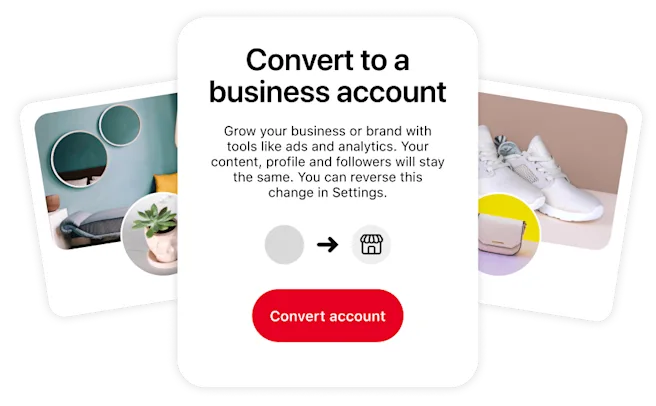
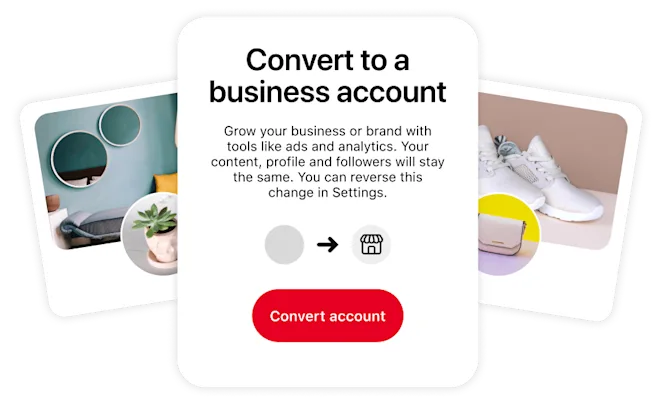
Understanding the privacy implications when choosing between a Pinterest business account and a personal account is crucial for users concerned about can you see who views your Pinterest. While both account types allow users to share and discover content, they differ significantly in terms of data collection, analytics, and features, ultimately affecting user privacy.
Pinterest business accounts offer robust analytics tools, providing insights into pin performance and audience demographics. This data collection, while valuable for marketing, raises privacy concerns as it involves tracking user activity and preferences. For example, businesses can see aggregated data about who interacts with their Pins, including age, gender, interests, and location.
Personal accounts, on the other hand, offer a more streamlined experience with fewer analytics features. This means less data is collected and analyzed by Pinterest, leading to a potentially higher level of privacy. However, even with a personal account, Pinterest still collects data on user activity to personalize feeds and recommendations.
Here’s a breakdown of key differences:
- Data Collection: Business accounts gather more comprehensive data for analytics, while personal accounts collect data primarily for personalization.
- Transparency: Business accounts provide greater transparency to Pinterest regarding business information, which may be subject to different terms of service.
- Control: Both account types allow users to adjust privacy settings, but business accounts may have specific options related to ad targeting and data sharing.
Ultimately, the choice between a Pinterest business account and a personal account depends on individual priorities. If data insights and marketing features are essential, a business account may be suitable, but users should be aware of the associated privacy implications. Conversely, if privacy is a primary concern, a personal account offers a more limited data collection footprint.
Curious about the differences between Pinterest Business and Personal accounts and how it affects your privacy? Explore the impact of ads on your Pinterest experience.
Debunking Myths: What Pinterest Does and Doesn’t Track
Many users wonder can you see who views your Pinterest profile, and this curiosity often leads to misconceptions about Pinterest‘s data tracking practices. While Pinterest does collect data to enhance user experience and provide targeted advertising, it’s crucial to understand the boundaries of this tracking to separate fact from fiction. This section clarifies what Pinterest tracks and, equally important, what it doesn’t track, providing a clearer picture of your privacy on the platform.
Pinterest’s data collection primarily focuses on user behavior within the platform. For instance, Pinterest tracks the Pins you save, the boards you create, the topics you follow, and the searches you conduct. This information helps Pinterest personalize your feed, suggest relevant content, and show you ads that align with your interests. The relationship between user actions and data collection is undeniable, but often misunderstood.
However, some common beliefs about Pinterest tracking are simply untrue. Pinterest does not provide users with a detailed list of who specifically viewed their profile or Pins. This is a crucial point often missed; while Pinterest Analytics offers aggregate data, it does not reveal individual viewer identities. For example, you can see how many people saved your Pin, but not which specific users saved it.
Another myth is that Pinterest meticulously tracks your activity outside of the platform. While Pinterest uses cookies and tracking pixels to understand how you interact with Pins embedded on other websites, it doesn’t monitor your entire browsing history or online behavior across the internet. This tracking is limited to interactions directly related to Pinterest content, such as when you click on a “Pin it” button on a blog. The Pin it button, acting like a bridge, connects website data back to Pinterest, not the other way around.
Finally, it’s important to debunk the idea that Pinterest can access your personal information without your consent. Pinterest adheres to its privacy policy, which outlines how your data is collected, used, and protected. While Pinterest may use your email address to send you notifications or personalized recommendations, it will not share your personal information with third parties without your explicit permission, except as required by law. In essence, transparency and user control are central to Pinterest‘s approach to data handling.
Beyond Profile Views: Other Ways to Measure Engagement on Pinterest
While can you see who views your Pinterest profile remains a common question, it’s crucial to understand that profile views are just one piece of the engagement puzzle. Focusing solely on profile views provides a limited perspective on how your content resonates with your audience; therefore, explore alternative metrics such as pin saves, click-through rates, and engagement rate to gain comprehensive insights.
Pinterest offers a wealth of alternative metrics to gauge the effectiveness of your content beyond simple profile views. Instead of dwelling on the elusive identity of profile viewers, leveraging Pinterest Analytics helps understand what types of content your audience connects with the most. These metrics provide a richer, more actionable understanding of audience behavior.
Here’s how you can measure engagement on Pinterest, beyond profile views:
- Pin Saves: This metric indicates that users find your content valuable enough to save for later inspiration. A high number of saves signals that your pins are relevant and appealing to your target audience. Pin saves demonstrates value and relevance of your content on the platform.
- Click-Through Rate (CTR): CTR measures the percentage of users who click on your pin to visit the linked website or content. A high CTR suggests that your pin’s visual and description are compelling enough to drive traffic to your external links, indicating the effectiveness of your pin design and call to action.
- Engagement Rate: It’s calculated by dividing the total number of engagements (saves, clicks, comments) by the number of impressions. This metric provides an overall view of how engaging your pins are to your audience, indicating the effectiveness of your content in stimulating interaction.
- Comments and Reactions: These direct interactions show that users are actively engaging with your content and are willing to share their thoughts and opinions. High number of reactions show content popularity.
Instead of obsessing over who is viewing your profile, concentrate on optimizing your content based on these engagement metrics. This data-driven approach allows you to refine your Pinterest strategy and create content that resonates more effectively with your target audience. Understanding these metrics empowers you to create a more engaging and successful Pinterest presence.
Pinterest’s Official Stance on Viewer Identification
Pinterest, like many social media platforms, maintains a clear stance on user privacy and data security, and this extends to the question of whether you can see who views your Pinterest profile. The official position of Pinterest is that they do not provide users with a direct feature to identify individual viewers of their profiles or Pins. This policy is rooted in a commitment to protect user privacy and prevent potential misuse of such information.
Pinterest’s privacy policy emphasizes the aggregation and anonymization of user data. While Pinterest does collect data on engagement metrics, such as impressions, saves, and clicks, this data is presented in aggregate form. This means that while you can see how many times your Pin has been viewed or saved, you cannot see which specific users have interacted with it. This approach aligns with industry best practices for data privacy, ensuring that individual users’ browsing habits are not exposed. The data gathered are also to improve user experience, personalize content, and provide relevant advertising.
Furthermore, Pinterest actively discourages the use of third-party tools or apps that claim to offer the ability to identify profile viewers. These tools often violate Pinterest’s terms of service and may pose security risks to users, potentially compromising their accounts or personal information. Pinterest clearly states that it does not endorse or support any such tools, and using them may result in account suspension or other penalties. Therefore, relying on official Pinterest analytics and engagement metrics is the most reliable and safest way to understand how your content performs.
Finally, it’s important to remember that Pinterest’s focus is on fostering a positive and collaborative environment. Allowing users to see who is viewing their profiles could potentially lead to unwanted interactions or harassment. By prioritizing user privacy and maintaining a clear stance on viewer identification, Pinterest aims to create a platform where users feel safe and comfortable sharing their ideas and interests.