How To Reset Pinterest Feed: Re-Optimize Your Home Feed & Interests
Regaining control over your Pinterest feed is crucial for a personalized and inspiring experience, preventing you from being overwhelmed by irrelevant content. This article, nestled within the Blog category, dives deep into practical strategies to refresh your Pinterest, focusing on techniques to unfollow boards, hide pins, adjust your interests, and even clear your search history. We’ll provide a step-by-step guide on how to reset your Pinterest algorithm in 2025, ensuring you see more of what you love and less of what you don’t, ultimately leading to a more engaging and tailored Pinterest experience.
Understanding Your Pinterest Feed and Why It Needs a Reset
Your Pinterest feed is the central hub where you discover new ideas, products, and inspiration, making it a curated reflection of your interests; however, a cluttered or irrelevant feed can hinder this experience, making it crucial to understand its workings and know how to reset Pinterest feed. Think of it as a digital mood board constantly evolving based on your activity. If your feed is no longer sparking joy or providing relevant content, it’s time to consider a reset.
The Pinterest feed algorithm learns from your interactions – pins you save, boards you follow, searches you conduct, and accounts you engage with. Over time, your interests can shift, and the algorithm may continue to show you content that is no longer relevant. This is where the need for a reset comes in. Ignoring the need to refresh the Pinterest feed results in wasted time scrolling through content that doesn’t align with your current goals, hindering your ability to discover fresh ideas and trends that Pin Video Downloader aims to help you visualize.
A Pinterest feed reset allows you to reclaim control over your discovery process. It’s like decluttering your closet – removing the things you no longer need to make space for the things you truly love. By strategically cleaning up your saved pins, followed boards, search history, and account data, you’re essentially retraining the algorithm to understand your evolving interests. This results in a more personalized and inspiring feed, ultimately enhancing your Pinterest experience.
The “Soft Reset”: Refining Your Pinterest Interests for a Targeted Feed
Is your Pinterest feed filled with content that no longer resonates with you? A soft reset allows you to refine your Pinterest interests and curate a feed that aligns with your current tastes, without completely erasing your existing data. This involves strategically adjusting your following list and topic selections to signal your preferences to the Pinterest algorithm.
The essence of a soft reset lies in subtly guiding Pinterest towards understanding your evolving preferences. Instead of a drastic overhaul like a hard reset, this method focuses on gradually shaping your feed through targeted actions. By unfollowing irrelevant boards, curating your following list, and selecting relevant topics, you can effectively train the Pinterest algorithm to deliver content that is more aligned with your current interests, leading to a more engaging and personalized experience on the platform.
Let’s begin with unfollowing boards that no longer spark your interest. Over time, your tastes evolve, and boards you once found captivating might now clutter your feed with irrelevant pins. Regularly reviewing your followed boards and unfollowing those that no longer align with your current interests is a crucial step in refining your Pinterest feed. For instance, if you were once interested in wedding planning but are now focused on home decor, unfollowing wedding-related boards will signal to Pinterest that you are no longer interested in that topic.
Next, curate your following list by carefully selecting the accounts you choose to follow. Just as with boards, the accounts you follow play a significant role in shaping your Pinterest feed. Take some time to review your following list and unfollow accounts that consistently post content that doesn’t align with your current interests. Conversely, actively seek out and follow accounts that share content you find inspiring, informative, or entertaining. This deliberate approach to curating your following list will help to populate your feed with pins that are more relevant and engaging.
Finally, selecting relevant topics is crucial for signaling your preferences to Pinterest. Pinterest allows you to specify your interests by selecting from a range of topics. By regularly reviewing and updating your topic selections, you can ensure that Pinterest is aware of your current interests and can tailor your feed accordingly. Explore the available topics and select those that align with your passions, hobbies, and aspirations. For example, if you’re passionate about sustainable living, selecting topics like eco-friendly products, zero waste tips, and sustainable fashion will signal to Pinterest that you’re interested in this area. This proactive approach helps Pinterest understand your interests and delivers a more targeted and satisfying user experience.
The “Hard Reset”: Clearing Your Pinterest History for a Fresh Start
If your Pinterest feed feels more like a random assortment of pins than a curated collection of inspiration, it might be time for a “hard reset.” Unlike a soft reset, which involves refining your interests and unfollowing irrelevant boards, a hard reset is a more drastic measure. It focuses on completely erasing your past activity, providing Pinterest’s algorithm with a clean slate to learn your current preferences and deliver a truly personalized experience, aligning your feed with your present tastes and needs.
Sometimes, simply unfollowing boards and accounts isn’t enough. A complete history reset may be required to tackle persistent irrelevance and ensure your feed is truly aligned with your current interests.
Here’s why you might consider a hard reset on Pinterest:
- Outdated Interests: Your tastes evolve. A hard reset helps remove the influence of old searches and pins that no longer reflect your current style.
- Algorithm Confusion: Pinterest’s algorithm learns from your activity. If your activity has been inconsistent or erratic, it can lead to a confused algorithm and a cluttered feed.
- Starting Fresh: Perhaps you’re rebranding, exploring new hobbies, or simply want a completely different Pinterest experience. A hard reset provides that blank canvas.
Essentially, a Pinterest hard reset is about removing the digital breadcrumbs you’ve left behind, allowing the platform to rebuild your feed from the ground up, focusing solely on what captivates you today. The following sections will guide you through the necessary steps to effectively perform a hard reset on your Pinterest account.
Proactive Pinning: How to Actively Influence Your Future Pinterest Feed
Taking control of your Pinterest feed isn’t just about resetting; it’s about actively shaping what you see. Proactive pinning strategies let you “train” the algorithm to show you content that truly aligns with your interests, moving beyond reactive measures like unfollowing and clearing history to create a more personalized and inspiring experience. Think of it as actively curating your own digital mood board.
By consciously shaping your Pinterest activity, you can transform your feed from a source of irrelevant content into a dynamic hub of inspiration. This involves a deliberate approach to pinning, creating boards, and engaging with content, all with the goal of signaling your preferences to the Pinterest algorithm. The ultimate aim is to create a cycle where your feed reflects your evolving tastes, making Pinterest a valuable tool for discovery and inspiration.
Pinning with Purpose: Quality Over Quantity
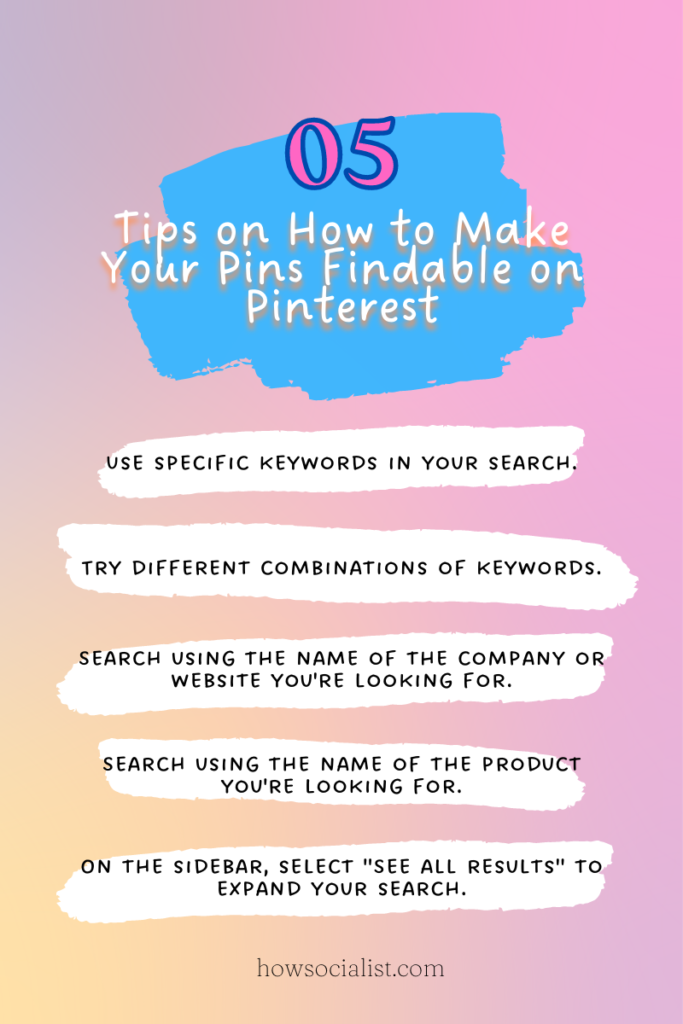
Don’t just pin anything and everything. Instead, pin with intention. Focus on saving high-quality Pins that genuinely resonate with your interests. High-quality pins often include engaging visuals, clear descriptions, and links to reputable sources. This signals to Pinterest that you’re interested in specific themes and topics, helping the algorithm refine your feed accordingly. Prioritize quality over quantity to show Pinterest what really excites you.
Creating Boards That Reflect Your Evolving Interests
Your Pinterest boards are more than just digital folders; they are powerful indicators of your interests. As your tastes evolve, create new boards that reflect these changes. Don’t be afraid to get specific – instead of a general “Home Decor” board, consider creating boards like “Mid-Century Modern Living Rooms” or “Bohemian Bedroom Ideas”. The more specific your boards, the better Pinterest can understand your preferences and tailor your feed. Think of your boards as actively communicating your evolving aspirations to Pinterest.
Engaging Strategically: Liking, Commenting, and Sharing to Train the Algorithm
Beyond pinning, actively engaging with content you love is crucial. Liking Pins, leaving thoughtful comments, and sharing Pins with others all send strong signals to the Pinterest algorithm. When you consistently interact with content related to specific topics, Pinterest is more likely to show you similar Pins in the future. Strategic engagement helps “train” the algorithm to understand your taste, refining your feed over time. Every like, comment, and share is a vote for the content you want to see more of.
Want a feed that truly reflects your interests? Learn how to create a Pin on Pinterest and then, discover how to completely reset your algorithm and re-optimize your home feed & interests for an even better experience!
Advanced Pinterest Feed Management: Using Section Organization and Secret Boards to Control Content Visibility
Taking control of your Pinterest feed goes beyond simple resets; it involves mastering advanced techniques to curate a truly personalized experience. This section delves into the power of section organization and secret boards – two often-overlooked features that allow you to fine-tune your Pinterest feed and maintain optimal content visibility, moving past the basic understanding of how to reset pinterest feed.
Effectively organizing your boards into sections is crucial for decluttering and focusing your interests. Think of section organization as creating sub-categories within a broader board. For example, instead of a general “Home Decor” board, you could create sections for “Living Room Ideas,” “Bedroom Inspiration,” and “Kitchen Remodels.” This not only makes it easier for you to find specific pins but also signals to the Pinterest algorithm the nuances of your interests. By categorizing your saved pins, you are essentially providing Pinterest with semantic clues, making it easier for the platform to understand your preferences and recommend relevant content. This enhances your ability to discover new ideas while keeping irrelevant content at bay.
Furthermore, secret boards offer a unique way to streamline your pinning process and control what others see. Unlike regular boards, secret boards are visible only to you and any collaborators you invite. This makes them ideal for planning personal projects, gathering inspiration for gifts, or simply saving pins that don’t quite fit your public persona. By strategically utilizing secret boards, you can effectively filter content from your main Pinterest feed, ensuring that your public profile reflects your desired image and interests. This level of control helps in refining your overall Pinterest experience and maintaining a feed that is both inspiring and relevant to your current needs.
Diagnosing Common Pinterest Feed Problems: Troubleshooting Tips and Solutions
Experiencing a Pinterest feed filled with irrelevant Pins can be frustrating, but understanding the root causes and applying effective troubleshooting techniques can restore its relevance. Just like needing to reset pinterest feed to refresh content, it’s important to diagnose what went wrong. By understanding the issues, users can actively manage their experience and ensure the feed aligns with their evolving interests.
One common culprit is the persistence of irrelevant pins. If you’re constantly seeing Pins that don’t match your interests, it’s time to investigate your Pinterest activity. Consider which boards you’ve followed, topics you’ve selected, and keywords you’ve used in your searches. For example, if you searched for “vintage dresses” once, Pinterest might continue showing you similar content even if your interests have shifted to “modern minimalist fashion.”
Another factor influencing your feed is algorithm updates. Pinterest frequently tweaks its algorithm to improve content delivery, and these changes can sometimes lead to unexpected results. To understand how these changes might be affecting your feed, it’s helpful to:
- Read Pinterest’s official blog for announcements about algorithm updates.
- Check the Pinterest Help Center for guidance on troubleshooting feed issues.
- Follow Pinterest experts and communities to stay informed about best practices.
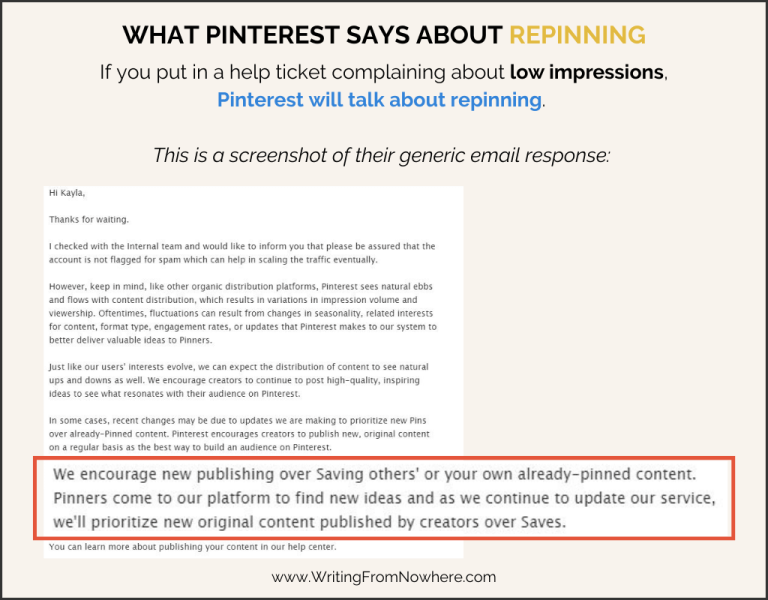
Finally, if you’ve exhausted all other options, consulting Pinterest’s Help Center directly can provide tailored solutions. The Help Center contains a wealth of information on troubleshooting common issues, understanding algorithm changes, and managing your account settings. Don’t hesitate to explore this resource for more in-depth assistance with any persistent feed problems you encounter.

The Future of Your Pinterest Feed: Staying Updated with Algorithm Changes and New Features
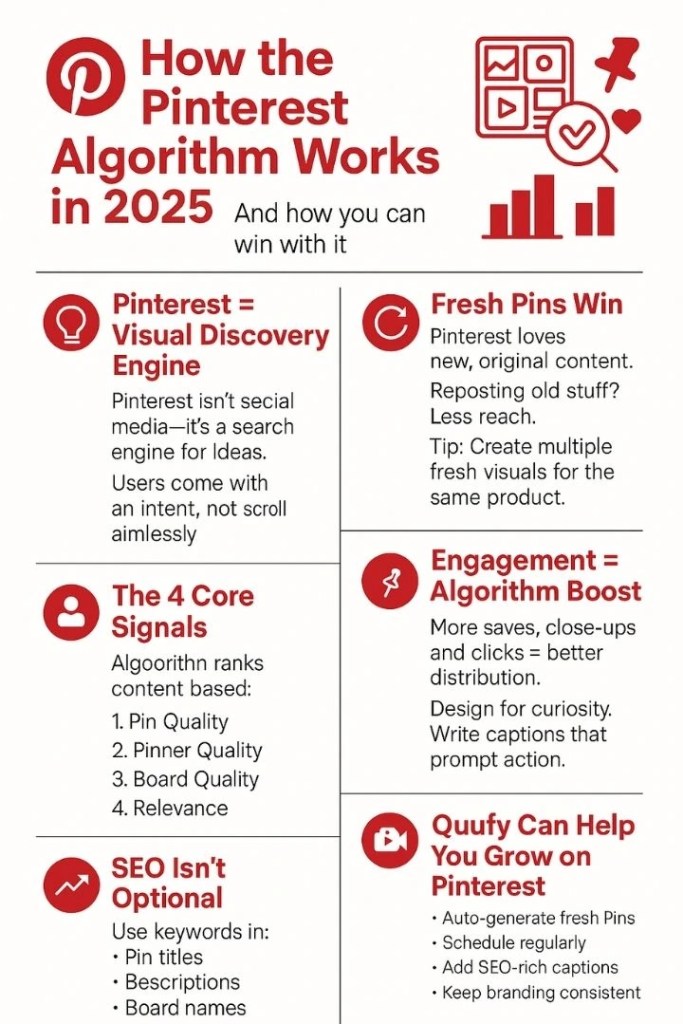
The evolution of your Pinterest feed is a continuous journey, demanding you stay informed about algorithm changes and new features to maintain a relevant and engaging experience. As a visual discovery engine, Pinterest constantly refines its algorithms to deliver personalized content, making it crucial for users, including those leveraging platforms like Pin Video Downloader, to adapt and optimize their strategies for enhanced visibility. Understanding these changes ensures your feed remains tailored to your interests and that you can continue to discover inspiring ideas.
Staying ahead of the curve requires consistent monitoring of Pinterest’s official communication channels. Pinterest’s Help Center and blog are prime resources for understanding upcoming algorithm updates and feature releases. By actively following these platforms, you gain valuable insights into how Pinterest is evolving and can proactively adjust your pinning habits and content strategies to align with the platform’s latest recommendations.
Engaging with the broader Pinterest community can also provide a wealth of knowledge and support. Following Pinterest experts and participating in online forums and groups allows you to learn from others’ experiences and stay informed about emerging trends and best practices. This collaborative approach can help you navigate algorithm changes more effectively and discover innovative ways to optimize your Pinterest feed for maximum impact.
Experimentation is key to mastering the ever-changing landscape of Pinterest. Don’t hesitate to test out new features, settings, and pinning strategies to see what works best for you. By embracing a proactive and adaptable mindset, you can ensure that your Pinterest feed remains a valuable source of inspiration and discovery.